How to Troubleshoot a Thermostat Not Responding to AC Settings
.webp)

When Your Thermostat Won't Respond to AC Settings: What to Check First
If you're dealing with a thermostat not responding to AC settings, here's what to check first before calling a technician:
1. Replace the batteries - A blank or frozen screen is caused by dead batteries in about 50% of cases
2. Check your thermostat settings - Confirm it's set to COOL mode with the setpoint below the current room temperature
3. Inspect your circuit breakers - Look for a tripped breaker on the indoor HVAC unit or outdoor AC disconnect
4. Check the air filter - A severely clogged filter can trigger a system shutdown
5. Look for condensate drain backup - A full drain line can trip a safety switch that cuts power to your thermostat
It's a familiar situation for South Louisiana homeowners: the house is getting warmer, you walk over to the thermostat, and nothing happens. The screen is blank, the buttons don't respond, or the AC simply won't kick on no matter what you set. Before assuming your air conditioner has failed, it's worth knowing that a faulty thermostat — or something affecting its power supply — can make a perfectly working AC system appear completely dead.
The good news is that many of these problems have simple causes. Dead batteries, a tripped breaker, an incorrect setting, or a backed-up condensate drain line are among the most common culprits. In fact, the thermostat itself is often the last thing at fault. Understanding the path that power travels — from your electrical panel, through your HVAC equipment, and finally to your thermostat — is the key to diagnosing what's really going on.

Thermostat not responding to ac settings what to check first terms explained:
• ac keeps turning on and off what is wrong
• ac not cooling but running what to check first
• ac troubleshooting before calling a pro
Thermostat Not Responding to AC Settings What to Check First
When your home starts feeling more like a swamp than a sanctuary, it's easy to panic. However, taking a systematic, safety-first approach to troubleshooting will help you pinpoint the issue without wasting time or money. Many thermostat-related issues don't actually require a brand-new thermostat or a major system overhaul.
By starting with the easiest and most common fixes, you can rule out minor glitches before diving into more complex system diagnostics. Let's look at the absolute first things you should check when your thermostat stops communicating with your air conditioner.
Before you begin unscrewing the thermostat from the wall or checking electrical connections, make sure to review our Thermostat Not Working? Reset and Wiring Checklist and read through our guide on AC Troubleshooting Before Calling a Pro to ensure you are following safe handling procedures.
Step 1: Check the Thermostat Batteries and Display
If your thermostat screen is completely blank or the display is extremely faint, the very first suspect should be the batteries. Many homeowners don't realize that even if their thermostat is connected to the home's electrical system, it may still rely on batteries for backup power or to run its internal display and relays.
When these batteries drain, the thermostat can no longer send the 24-volt signal to your air handler or condenser to start a cooling cycle.
• Locate the Battery Compartment: On most modern digital thermostats, the faceplate can be gently pulled straight off the wall mount to reveal the battery compartment on the back. Other models have a slide-out drawer on the top or side.
• Use High-Quality Batteries: Always replace the old batteries with a fresh set of high-quality AA or AAA alkaline batteries. Avoid using rechargeable or cheap heavy-duty batteries, as they often do not provide a consistent voltage.
• Check the Polarity: Make sure the positive (+) and negative (-) ends align correctly.
• Wait for a Reboot: Once the fresh batteries are in, snap the faceplate back onto the wall. Give the thermostat a minute or two to boot up and establish a connection.
If a battery swap restores the screen and your AC starts humming back to life, you've just saved yourself a service call! To prevent this issue in the future, we recommend changing your thermostat batteries once a year—perhaps on the same day you change your smoke detector batteries. For more signs of a failing control unit, check out the 5 Signs of Thermostat Not Working | Confirming Issues Before Repair.
Step 2: Verify Your Thermostat Settings and Cooling Mode
It might sound overly simple, but incorrect settings are incredibly common, especially during seasonal transitions in South Louisiana when we switch between heating and cooling.
Walk over to your thermostat and verify the following:
• The Mode: Ensure the system is set to COOL. If it was accidentally set to HEAT, OFF, or AUTO with a high temperature threshold, the air conditioner will not turn on.
• The Temperature Setpoint: Set the target temperature at least 3 to 5 degrees below the current room temperature display. If the room is 78°F and the thermostat is set to 77°F, the system may not trigger a cooling call immediately due to built-in temperature differentials.
• Compressor Delay: Modern digital and smart thermostats have a built-in compressor protection delay (often called anti-short cycling). This delay prevents the compressor from turning on and off too rapidly, which can cause severe mechanical damage. If you just adjusted the settings, wait at least 5 to 10 minutes to see if the AC kicks on.
• Schedules and Eco Modes: If you use a smart thermostat, check your app to see if an active "Away" or "Eco" schedule is overriding your manual changes. Sometimes a geofencing glitch can make the thermostat think you are miles away, keeping the home warmer than you prefer.
To optimize your system's performance and keep your utility bills manageable, take a look at our guide on the Best Thermostat Settings to Save Money During a South Louisiana Summer.
Step 3: Inspect the Circuit Breakers and Power Switches
Your thermostat and your HVAC system require electricity to communicate. If a breaker has tripped, the entire communication loop is broken, which can make it seem like the thermostat is completely broken.
• Check the Main Electrical Panel: Locate your home's circuit breaker panel. Look for breakers labeled "AC," "Air Handler," "Furnace," or "Heat Pump."
• Reset the Breaker Properly: A tripped breaker won't always be completely in the "OFF" position. It often hovers somewhere in the middle. To reset it, push the switch firmly to the OFF position until you hear a distinct click, and then switch it back to ON.
• Locate the Indoor Switch: Most indoor air handlers or furnaces have an emergency shutoff switch nearby that looks exactly like a standard light switch. Sometimes, this switch is accidentally flipped off by someone retrieving items from a closet, attic, or garage. Ensure this switch is in the ON position.
• Check the Air Handler Door Switch: Inside your air handler, there is a safety switch attached to the blower compartment door. If the door panel is loose or wasn't put back on correctly after a filter change, this switch will remain open, cutting all power to the low-voltage control board and the thermostat.
Advanced Causes of an Unresponsive AC Thermostat
If you've checked the batteries, verified the settings, and confirmed that the breakers are on, but your thermostat is still not responding, the issue likely lies deeper within your HVAC system's safety controls or low-voltage wiring.
When an internal safety device is triggered, it deliberately cuts power to the thermostat or the cooling circuit to protect your home from water damage or electrical fires. For a detailed look at these advanced scenarios, read Why Is My AC Thermostat Not Responding?.
The Role of the Condensate Float Safety Switch
In hot, humid climates like New Orleans and Metairie, air conditioners pull an immense amount of moisture out of the air. This moisture collects in a drain pan and flows outside through a PVC condensate drain line.
Over time, algae, mold, and dust can clog this drain line. When the water cannot flow out, it backs up into the drain pan. To prevent this water from overflowing and damaging your ceilings or floors, HVAC systems are equipped with a condensate float safety switch.
• How It Works: The float switch contains a small sensor or float. As water rises in the drain line or pan, the float rises. Once it reaches a certain level, the switch trips.
• The Result: Tripping this switch immediately cuts the 24V power supply to either the entire thermostat or the "Y" cooling wire. This shuts down the outdoor condenser instantly.
• What to Look For: Locate your indoor air handler. Look for a white PVC pipe coming out of the unit. You should see a small switch with wires running out of it installed in the pipe or the drain pan. If you see standing water in the pipe or pan, the float switch has done its job.
• How to Clear It: You can use a wet-dry vacuum to clear the clog from the outside drain line termination point. Once the water drains away and the float drops back down, power should be restored to your thermostat.
If your system is running but failing to cool down the house, check out our guide on AC Not Cooling But Running What to Check First.
Low-Voltage Wiring and Control Board Issues
Your thermostat acts as the brain of your HVAC system, sending 24-volt electrical signals through thin wires to control the fan, heating, and cooling. If there is an issue with this low-voltage circuit, the thermostat cannot communicate.
• The 24V Transformer: Your home's main electrical panel supplies 120V or 240V of electricity. A transformer inside your indoor air handler steps this voltage down to 24V for the thermostat control circuit. If this transformer fails, your thermostat will lose power.
• The Control Board Fuse: Just like a car, your HVAC control board has a small fuse (typically a 3-amp or 5-amp purple or amber fuse) designed to protect the board from electrical surges. If a low-voltage wire rubs against metal and shorts out, this fuse will blow, immediately cutting power to the thermostat.
• Loose or Corroded Connections: Over time, the tiny wires connected to the back of your thermostat (labeled R, C, Y, G, W, etc.) can become loose or corroded. A loose "Y" wire will prevent the cooling system from starting, while a loose "R" or "C" wire will completely kill power to the thermostat.
For a deeper dive into how a bad thermostat or damaged control wiring can mimic a major system failure, read Can a Bad Thermostat Cause AC Not to Cool?.
How to Tell If the Problem Is the Thermostat or the AC System
When your home is warm and the AC won't run, it can be difficult to tell whether you have a broken thermostat or a broken air conditioner. Since a thermostat replacement is generally much simpler than an AC repair, isolating the root cause is incredibly helpful.
Before making any assumptions, you can perform a few simple diagnostic steps to isolate the issue. For a comprehensive checklist of fixes, consult Thermostat Not Cooling? 7 Fixes That Actually Work (Before You Call a Technician) (2026).
Thermostat Not Responding to AC Settings What to Check First for System Isolation
To determine if the thermostat is successfully sending signals to your HVAC system, try performing a fan test:
• The Fan Test: Walk to your thermostat and change the fan setting from AUTO to ON.
— If the blower fan turns on and starts blowing air out of your vents, it means your thermostat has power and the low-voltage control circuit is partially working. The issue is likely isolated to the cooling call (the "Y" wire circuit), the outdoor condenser unit, a bad contactor, or a failed run capacitor.
— If absolutely nothing happens (no fan, no clicks, no sounds from the indoor unit), the issue is a total loss of control power, a blown fuse on the control board, or a completely dead thermostat.
• The Click Test: Listen closely to your thermostat when you lower the temperature setting. You should hear a faint "click" sound. This is the internal relay physically closing to send the 24V signal to your AC. If you hear the click but the AC doesn't start, the thermostat is likely doing its job, and the problem lies downstream in the air handler or outdoor condenser.
• Thermostat Lifespan: Consider the age of your thermostat. Older mechanical models with mercury switches must be perfectly level to function. Digital and smart thermostats typically have a lifespan of 10 to 15 years. If your thermostat is older than this, its internal relays may simply be worn out.
If your air conditioner is starting up but turning off almost immediately, find out what might be causing it by reading AC Keeps Turning On and Off What is Wrong.
Thermostat Not Responding to AC Settings What to Check First for Airflow and Coils
Sometimes, a thermostat is working perfectly, but a secondary system failure causes the AC to shut down to prevent catastrophic damage.
• Dirty Air Filter: A heavily clogged air filter restricts the airflow passing over your indoor evaporator coil. Without enough warm air passing over it, the refrigerant inside the coil drops below freezing, causing the coil to literally turn into a block of ice.
• Frozen Evaporator Coil: Once the coil freezes, airflow is blocked entirely, and a safety sensor or low-pressure switch can shut down the compressor. The system may run constantly without cooling, or refuse to turn on at all.
• What to Do: Turn your system completely off at the thermostat and let it thaw. Change your air filter immediately.
If your air conditioner is struggling to keep up with the intense Louisiana heat, learn more about what to look for in our article, AC Never Reaches Set Temperature During a Heat Wave What is Wrong. You can also learn how to manage indoor moisture levels by reading AC Running But House Feels Humid What to Check.
Frequently Asked Questions About Unresponsive Thermostats
Why is my thermostat screen completely blank?
A completely blank thermostat screen usually points to a total loss of power. The most common cause is dead batteries. If your model doesn't use batteries or a fresh set doesn't fix it, check your home's main electrical panel for a tripped circuit breaker.
Other common causes include an open blower door safety switch on your indoor air handler, a blown low-voltage fuse on the HVAC control board, or a tripped condensate float switch caused by a clogged drain line.
Can a clogged AC drain line make my thermostat stop working?
Yes! If your air conditioner's condensate drain line becomes clogged, water will back up into the drain pan. This triggers the condensate float safety switch, which is designed to shut down the system immediately to prevent water damage to your home.
In many HVAC configurations, this safety switch cuts the 24-volt power supply to the thermostat, causing the screen to go blank or the system to stop responding to any cooling settings.
Should I repair or replace my thermostat if it stops responding?
If your thermostat is over 10 years old, is displaying erratic temperature readings, or has failed internal relays, replacing it is usually the most reliable and cost-effective option. Upgrading to a modern smart thermostat can also improve your home's energy efficiency. However, if the issue is a tripped breaker, a blown fuse, or a clogged drain line, replacing the thermostat will not solve the problem.
To help you make the right choice, read our AC Repair vs Replace Decision Guide and our guide on whether you Should I Repair or Replace My Air Conditioner in South Louisiana.
Conclusion
A thermostat not responding to AC settings can be incredibly frustrating, but taking a systematic approach to troubleshooting can help you identify the issue quickly. By checking the batteries, verifying your settings, resetting tripped breakers, and inspecting safety switches like your condensate float switch, you can often get your system back up and running without a professional service call.
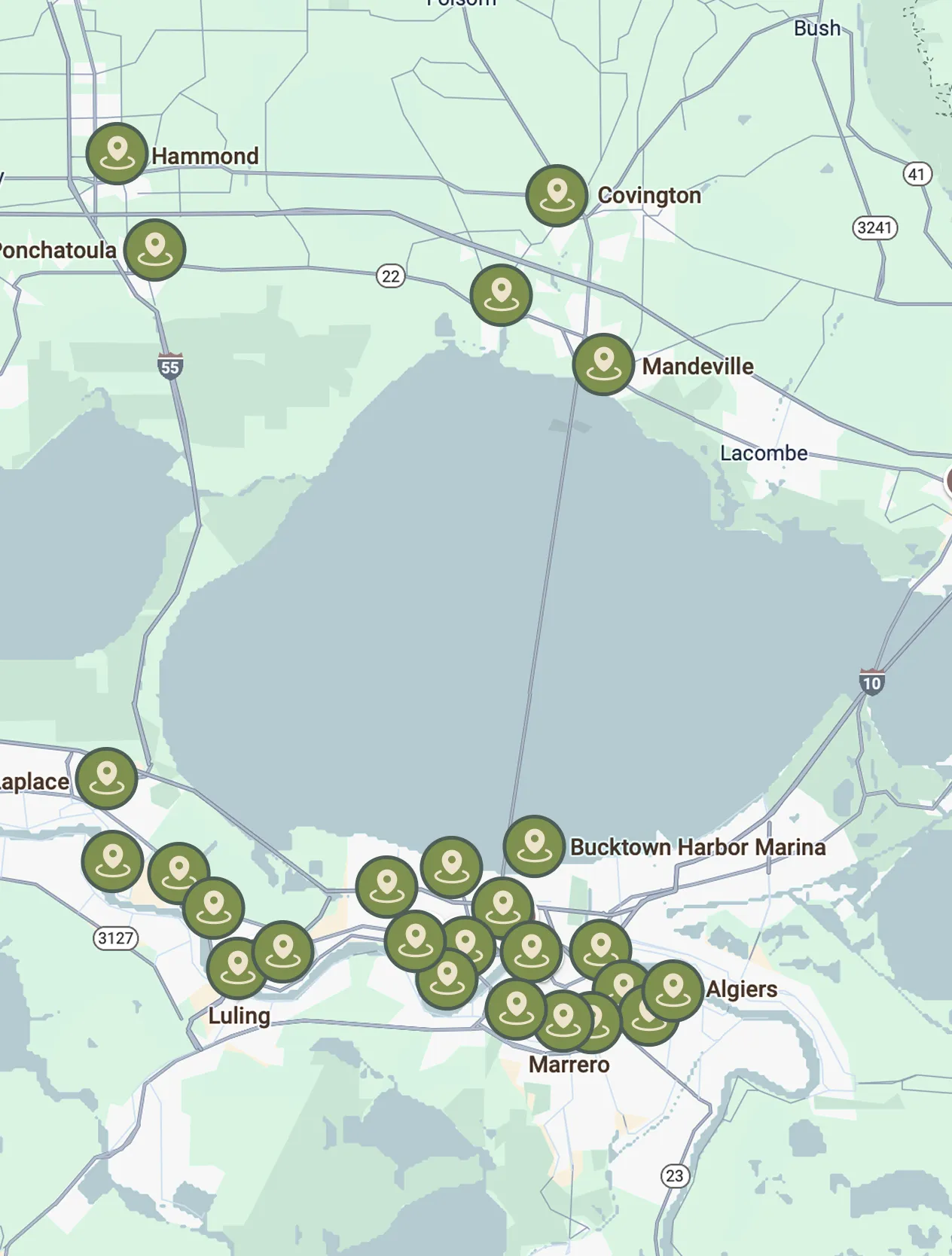
When simple DIY troubleshooting steps don't resolve the issue, it's time to call in the professionals. At Cypress Cooling Company, we serve residential and commercial properties throughout South Louisiana, including New Orleans, Metairie, Kenner, Slidell, Mandeville, and Covington. Our philosophy is simple: we diagnose, educate, and guide you toward the best solution for your home without high-pressure sales tactics.
Whether you need a quick repair, a thermostat upgrade, or routine maintenance, we are here to help keep your home comfortable all year long. If you're in Metairie, you can easily schedule your AC Maintenance in Metairie LA. For all other areas, explore our full range of Cypress Cooling Air Conditioning Services or contact us today to schedule a service visit!
OUR CLIENTS HAVE TO SAY ABOUT US



Service areas
Our service areas are designed to meet the diverse needs of our clients. We focus on providing exceptional service and ensuring customer satisfaction in every location we operate.